
This blog is about my understanding how Microsoft Purview sensitivity label User Defined Permissions (UDP) for documents, and Encrypt Only behave under the hood of Azure Rights Management Service (Azure RMS) and how protection boundaries are enforced.
Here I am trying to explain
- Why internal forwarding of a UDP-protected document fails
- Why external forwarding with Encrypt-Only works
- Why this behavior is expected and by design
- How Azure RMS evaluates identity and authorization
This analysis are based on Microsoft’s documented enforcement model.
Scenario 1 – Internal users (same tenant)
Background:
User A protect a document using a UDP label (Outlook Encrypt Only)
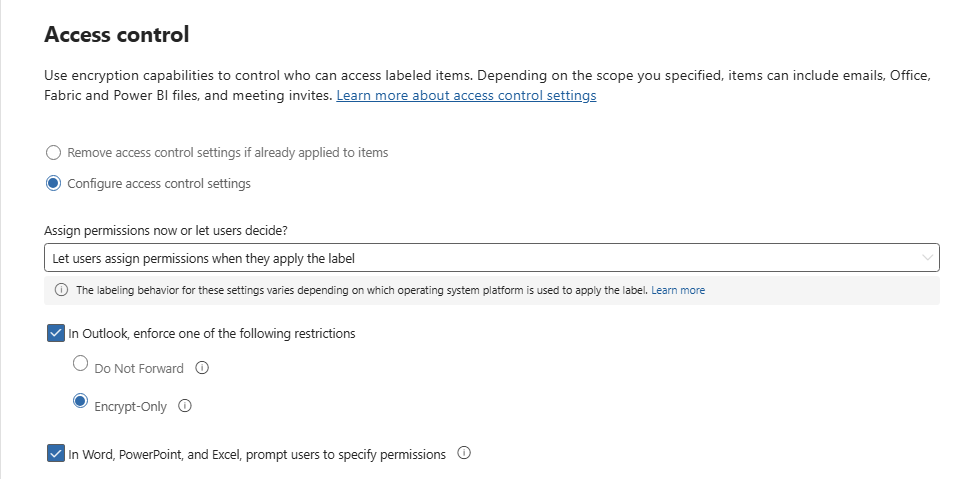
Permissions explicitly granted:
- User A – Owner
- User B – Owner
User B forwards the document to User C and User C is unable to open the document
Why user C cannot access the Document ?
This is expected behavior With UDP-protected documents:
- The authorization list is fixed at encryption time
- The RMS policy is embedded in the file
- Forwarding does not modify the access control list
- Only explicitly listed users can decrypt
When a document, email or meeting invite is encrypted, access to the content is restricted, so that it can be decrypted only by users authorized by the label’s encryption settings. When you allow users to assign permissions, the users they select are the only users who will be able to access the content ( Refer – Apply encryption using sensitivity labels | Microsoft Learn)
Why internal forwarding does not inherit permissions
- UDP does not support transitive trust ( Transitive Trust – A trusts B, B trusts C, so A also trusts C and C also trusts A)
- RMS does not evaluate email recipients, it evaluates only the embedded rights policy
- Forwarding is treated as file redistribution, not collaboration
Scenario 2 – External users (cross tenant)
User A granted Owner permission to User X (external tenant)
User X forwarded the document to User Y (another tenant), during the process User X applied a UDP Encrypt Only label to the email
- User Y can open the document
- User Y has Editor permissions (not Owner, no Export)
Why User Y can access the document ? – The key difference is email encryption vs document encryption
When Encrypt‑Only is applied to an email
- Outlook creates a new RMS protection envelope
- All attachments inherit email encryption
- Recipients of the email are dynamically authorized
Microsoft documents this inheritance behavior – When an Office attachment inherits encryption from an email message, recipients are authorized based on the email’s protection policy. Encrypt‑Only allows recipients to read the email and attachments but limits actions such as export or full control. By default, unencrypted Office documents that are attached to the email inherit the same permissions. These documents are automatically encryption and when they’re downloaded, they can be saved, edited, copied, and printed from Office applications by the recipients. Refer – Configure usage rights for the Azure Rights Management service | Microsoft Learn
Common to both scenarios
- User‑Defined Permissions (UDP) labels use Azure Rights Management Service (Azure RMS).
- Permissions are embedded at protection time and evaluated per authenticated identity.
- Forwarding does NOT re‑grant permissions unless a new encryption policy is created.
- Email and document protection behave differently because email encryption re‑wraps content, while documents do not automatically re‑encrypt on forward.
Microsoft explicitly warns that UDP is restrictive by design – User‑defined permissions are intended for explicit, controlled sharing and do not automatically support expanding access
Scenario 1 failed because UDP document protection is static
Scenario 2 succeeded because Encrypt‑Only email re‑authorizes recipients
